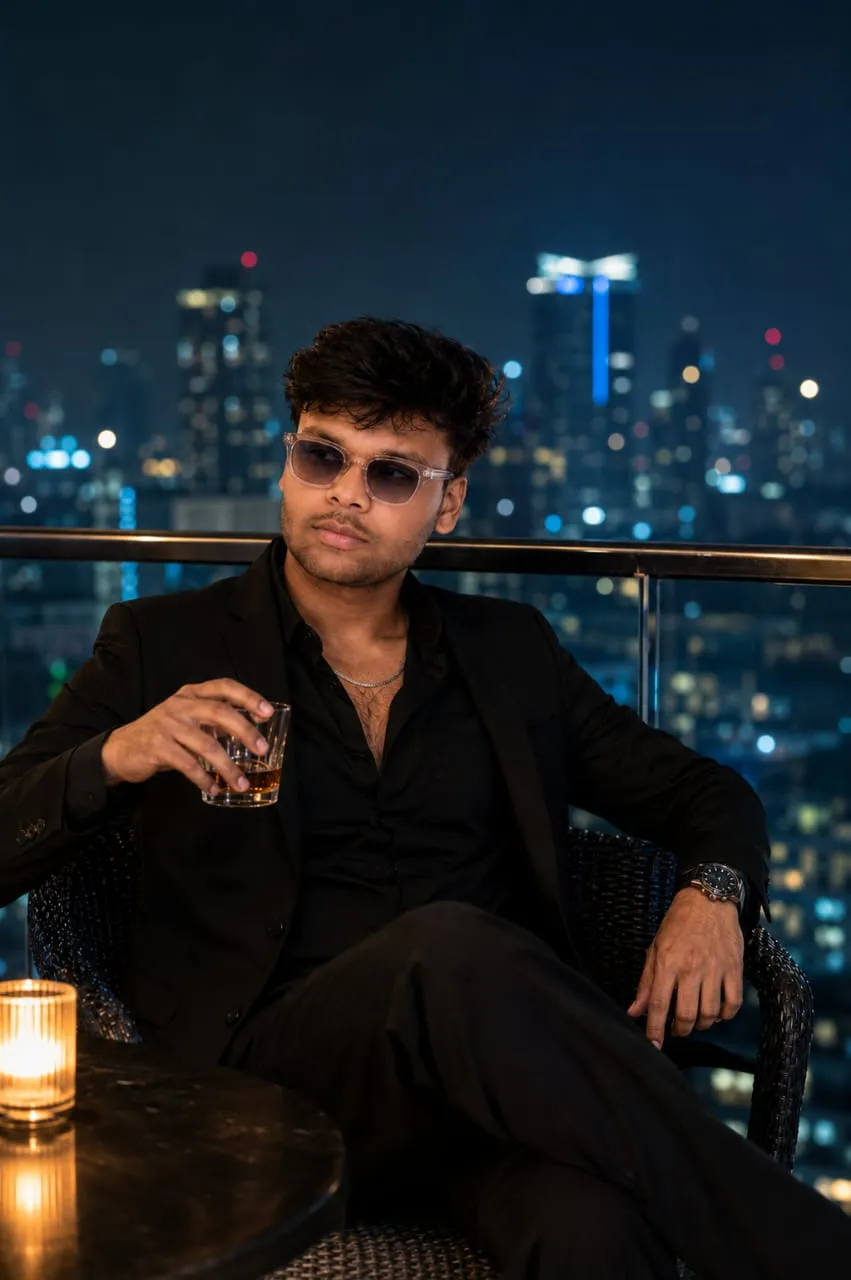
Urban Gentleman on Luxury Balcony
A sophisticated night portrait of a stylish man on a high-rise balcony overlooking a glowing city skyline.
Full Prompt · 100% Free127 words
Ultra-realistic cinematic night portrait of a stylish young man on a high-rise balcony with a luxury urban city skyline in the background. The scene is set at nighttime with deep blue ambient tones and soft warm lighting. The subject is a handsome young man with medium-fair skin, sharp jawline, light stubble beard, and voluminous messy curly dark brown hair falling naturally over his forehead. He has expressive eyes and a calm, confident, slightly thoughtful expression, looking slightly to the side. He is wearing an all-black outfit: a well-fitted black blazer over a black button-down shirt with the top buttons open, revealing a subtle chain necklace, and black trousers. Pose: sitting casually on a modern balcony chair with one leg crossed over the other, relaxed yet confident posture.
Interactive Prompt Remixer
Customize subject, lighting, or framing slots below — the prompt updates live while preserving proven camera syntax.
Ultra-realistic cinematic night portrait of a stylish young man on a high-rise balcony with a luxury urban city skyline in the background. The scene is set at nighttime with deep blue ambient tones and soft warm lighting. The subject is a handsome young man with medium-fair skin, sharp jawline, light stubble beard, and voluminous messy curly dark brown hair falling naturally over his forehead. He has expressive eyes and a calm, confident, slightly thoughtful expression, looking slightly to the side. He is wearing an all-black outfit: a well-fitted black blazer over a black button-down shirt with the top buttons open, revealing a subtle chain necklace, and black trousers. Pose: sitting casually on a modern balcony chair with one leg crossed over the other, relaxed yet confident posture.
Compatible Models
How to Customize
Swap the subject, wardrobe, or color palette while keeping the lighting and camera phrasing intact. In Midjourney, add --ar 4:5 for portraits or --ar 16:9 for cinema frames.
Keep Exploring