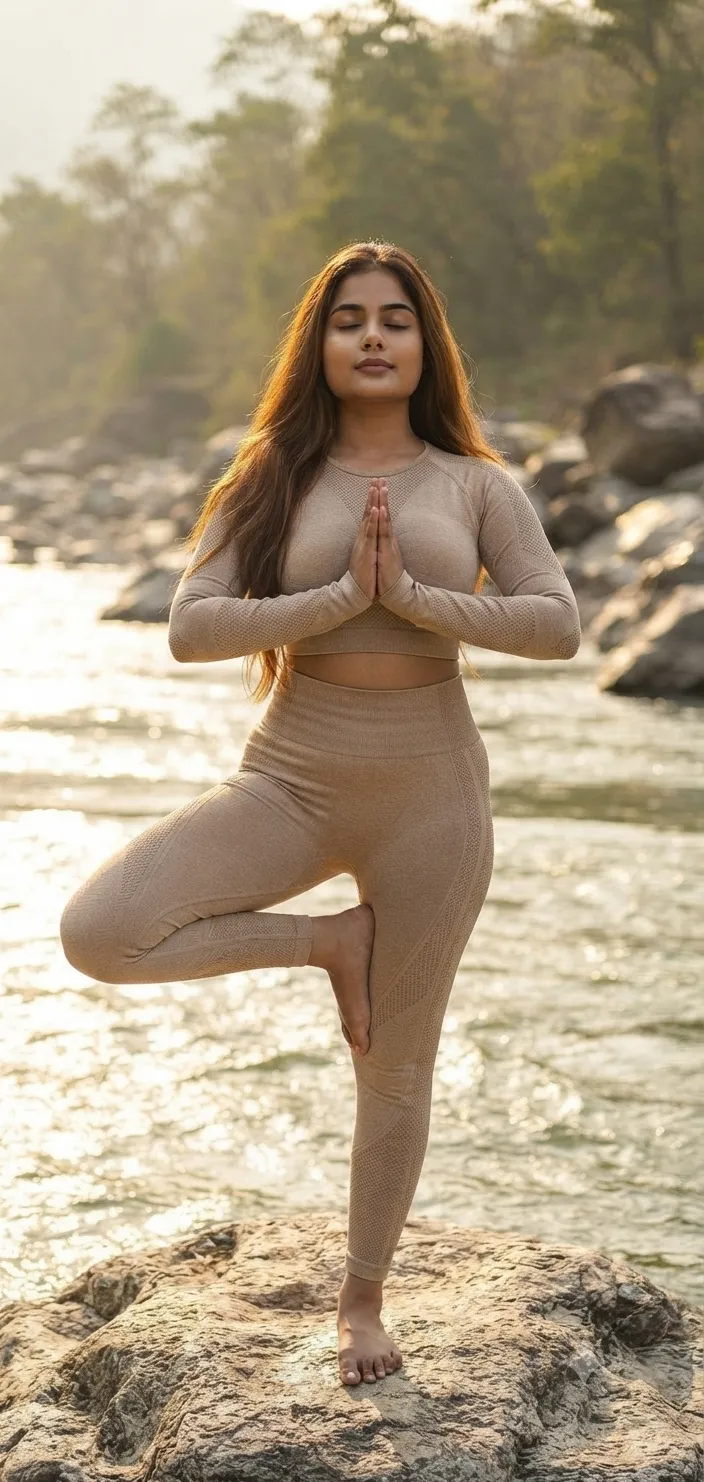
Serene Yoga Meditation by Sunlit River
A peaceful, ultra-realistic cinematic portrait of a woman practicing yoga on a riverbank during the golden hour.
Full Prompt · 100% Free108 words
A stunning, ultra-realistic cinematic portrait of a beautiful young woman with long, flowing brown hair, captured in a serene yoga pose (Tree Pose) on a large rock by a crystal-clear, sunlit river. She is wearing a matching beige-colored athletic sports bra and high-waisted seamless leggings with subtle intricate knit patterns. Her hands are pressed together in a prayer position (Anjali Mudra) at her chest, eyes closed in deep meditation. The lighting is golden hour sunlight, creating a warm, radiant glow on her skin and glistening off the water surface. The background features soft-focus lush green trees and rocky riverbanks. 8K resolution, photorealistic, peaceful atmosphere, high detail, professional photography.
Interactive Prompt Remixer
Customize subject, lighting, or framing slots below — the prompt updates live while preserving proven camera syntax.
A stunning, ultra-realistic cinematic portrait of a beautiful young woman with long, flowing brown hair, captured in a serene yoga pose (Tree Pose) on a large rock by a crystal-clear, sunlit river. She is wearing a matching beige-colored athletic sports bra and high-waisted seamless leggings with subtle intricate knit patterns. Her hands are pressed together in a prayer position (Anjali Mudra) at her chest, eyes closed in deep meditation. The lighting is golden hour sunlight, creating a warm, radiant glow on her skin and glistening off the water surface. The background features soft-focus lush green trees and rocky riverbanks. 8K resolution, photorealistic, peaceful atmosphere, high detail, professional photography.
Compatible Models
How to Customize
Swap the subject, wardrobe, or color palette while keeping the lighting and camera phrasing intact. In Midjourney, add --ar 4:5 for portraits or --ar 16:9 for cinema frames.
Matching Outcome Playbooks
Keep Exploring