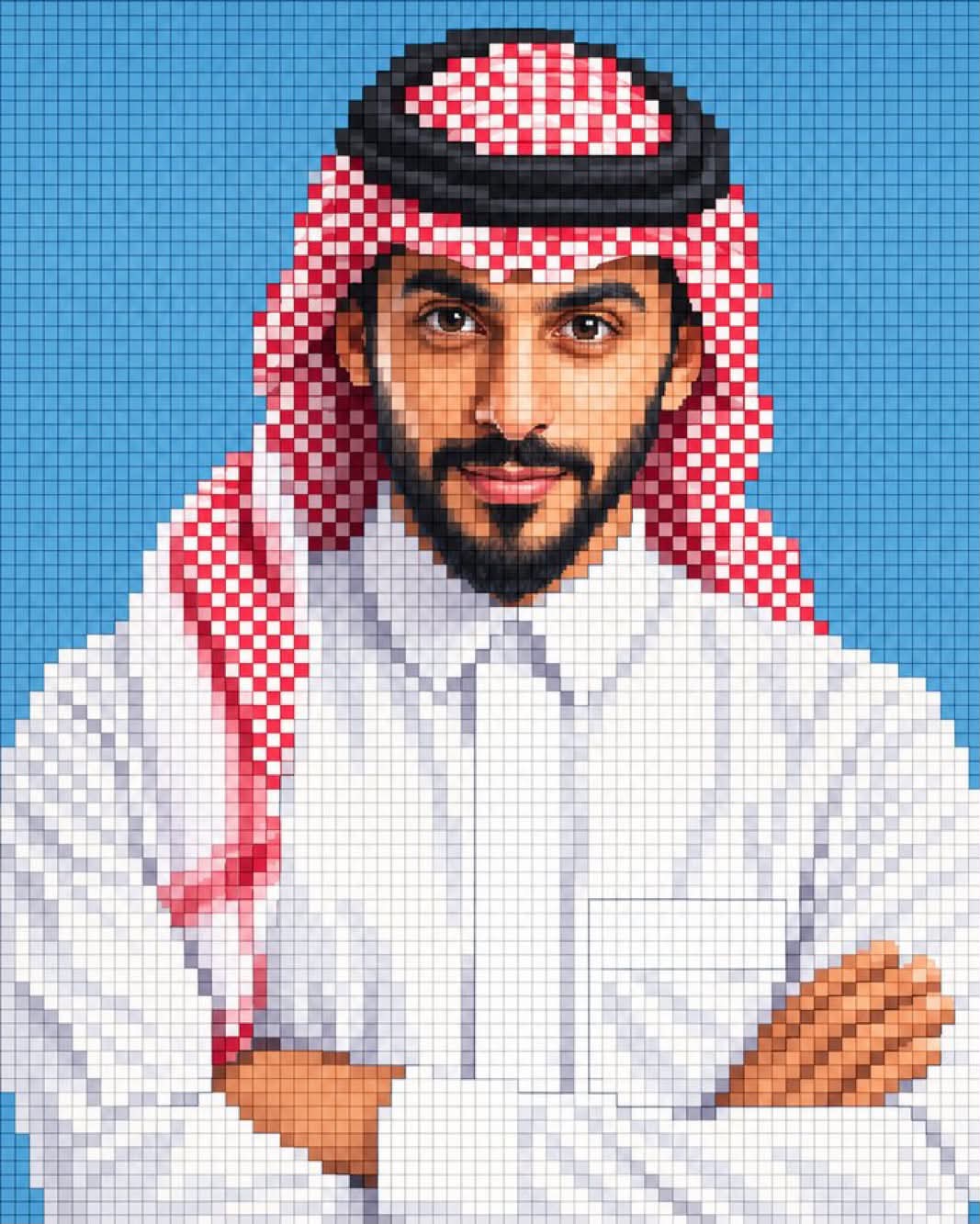
Premium Pixel Art Portrait Mosaic
A sophisticated prompt designed to transform subjects into high-resolution, grid-based pixel art portraits with precise color palettes and geometric clarity.
Full Prompt · 100% Free251 words
Premium pixel-art portrait, reconstruct the entire image exclusively from a precise uniform grid of small square pixels with identical square dimensions, perfectly aligned horizontal and vertical placement, subtle dark separation lines, and one flat color per cell. Use intentionally visible pixels rather than smooth digital rendering. Create tonal transitions by gradually changing the colors of neighboring pixel cells. Keep facial proportions faithful, eye shape, eye color, eyebrows, nose silhouette, lips, jawline, hairstyle, and facial hair. Style: premium modern pixel art, digital mosaic portrait, grid-based illustration, retro digital portraiture, contemporary 8-bit inspired artwork, pixelated editorial portrait, minimal geometric abstraction. Vertical close-up portrait, face occupying most of the frame, strong eye-level focal point, tight editorial crop, clean composition, minimal distractions. Derive pixel palette directly from the original image, approximately 20–40 carefully selected tones including natural skin-tone variations, deep charcoal shadows, dark hair tones, clean highlights, and restrained accent colors. Preserve original direction of light and shadow, translate highlights and shadows into discrete pixel-color steps, strong readable facial modeling, no smooth shading. The square grid must remain clearly visible across the entire artwork, consistent pixel size, precise alignment, thin dark grid boundaries, sharp edges, no anti-aliasing. Simplify the original environment into larger pixel clusters while keeping the subject more detailed. High-resolution portrait intentionally reconstructed by hand, pixel by pixel, crisp, graphic, minimal, nostalgic, modern, highly controlled. No text, no logos, no watermark, no smooth photorealistic areas, no gradients, no blurred pixels, no random pixel noise, no 3D cubes, no voxel effect, no distorted identity.
Interactive Prompt Remixer
Customize subject, lighting, or framing slots below — the prompt updates live while preserving proven camera syntax.
Premium pixel-art portrait, reconstruct the entire image exclusively from a precise uniform grid of small square pixels with identical square dimensions, perfectly aligned horizontal and vertical placement, subtle dark separation lines, and one flat color per cell. Use intentionally visible pixels rather than smooth digital rendering. Create tonal transitions by gradually changing the colors of neighboring pixel cells. Keep facial proportions faithful, eye shape, eye color, eyebrows, nose silhouette, lips, jawline, hairstyle, and facial hair. Style: premium modern pixel art, digital mosaic portrait, grid-based illustration, retro digital portraiture, contemporary 8-bit inspired artwork, pixelated editorial portrait, minimal geometric abstraction, Vertical close-up portrait, face occupying most of the frame, strong eye-level focal point, tight editorial crop, clean composition, minimal distractions. Derive pixel palette directly from the original image, approximately 20–40 carefully selected tones including natural skin-tone variations, deep charcoal shadows, dark hair tones, clean highlights, and restrained accent colors. Preserve original direction of light and shadow.
Compatible Models
How to Customize
Swap the subject, wardrobe, or color palette while keeping the lighting and camera phrasing intact. In Midjourney, add --ar 4:5 for portraits or --ar 16:9 for cinema frames.
Matching Outcome Playbooks
Keep Exploring