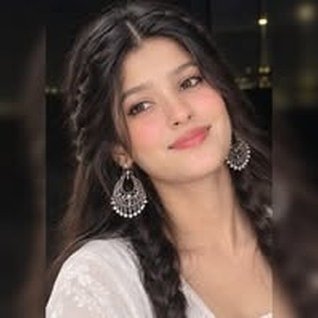
Mixed Media Watercolor Portrait
A sophisticated fine art piece blending photorealistic portraiture with expressive watercolor splashes and ink textures.
Full Prompt · 100% Free113 words
She rests her chin thoughtfully on her hand, one arm across her knee, smiling softly while looking off to the side. Golden embroidered flat sandals peek out from beneath her outfit. Blended seamlessly above and behind her, a large close-up watercolor portrait of the same woman's smiling face emerges from a burst of loose watercolor splatters, drips, and ink-blot textures in moss-green and sepia tones, hair in the same bun style, red lips visible, as if the painting is dissolving into abstract paint splashes. Clean white background, soft natural lighting, fine art mixed-media illustration style blending photorealism with painterly watercolor splash effects, muted earthy sage and cream palette in the background paint texture.
Interactive Prompt Remixer
Customize subject, lighting, or framing slots below — the prompt updates live while preserving proven camera syntax.
She rests her chin thoughtfully on her hand, one arm across her knee, smiling softly while looking off to the side. Golden embroidered flat sandals peek out from beneath her outfit. Blended seamlessly above and behind her, a large close-up watercolor portrait of the same woman's smiling face emerges from a burst of loose watercolor splatters, drips, and ink-blot textures in moss-green and sepia tones, hair in the same bun style, red lips visible, as if the painting is dissolving into abstract paint splashes. Clean white background, soft natural lighting, fine art mixed-media illustration style blending photorealism with painterly watercolor splash effects, muted earthy sage and cream palette in the background paint texture.
Compatible Models
How to Customize
Swap the subject, wardrobe, or color palette while keeping the lighting and camera phrasing intact. In Midjourney, add --ar 4:5 for portraits or --ar 16:9 for cinema frames.
Matching Outcome Playbooks
Keep Exploring