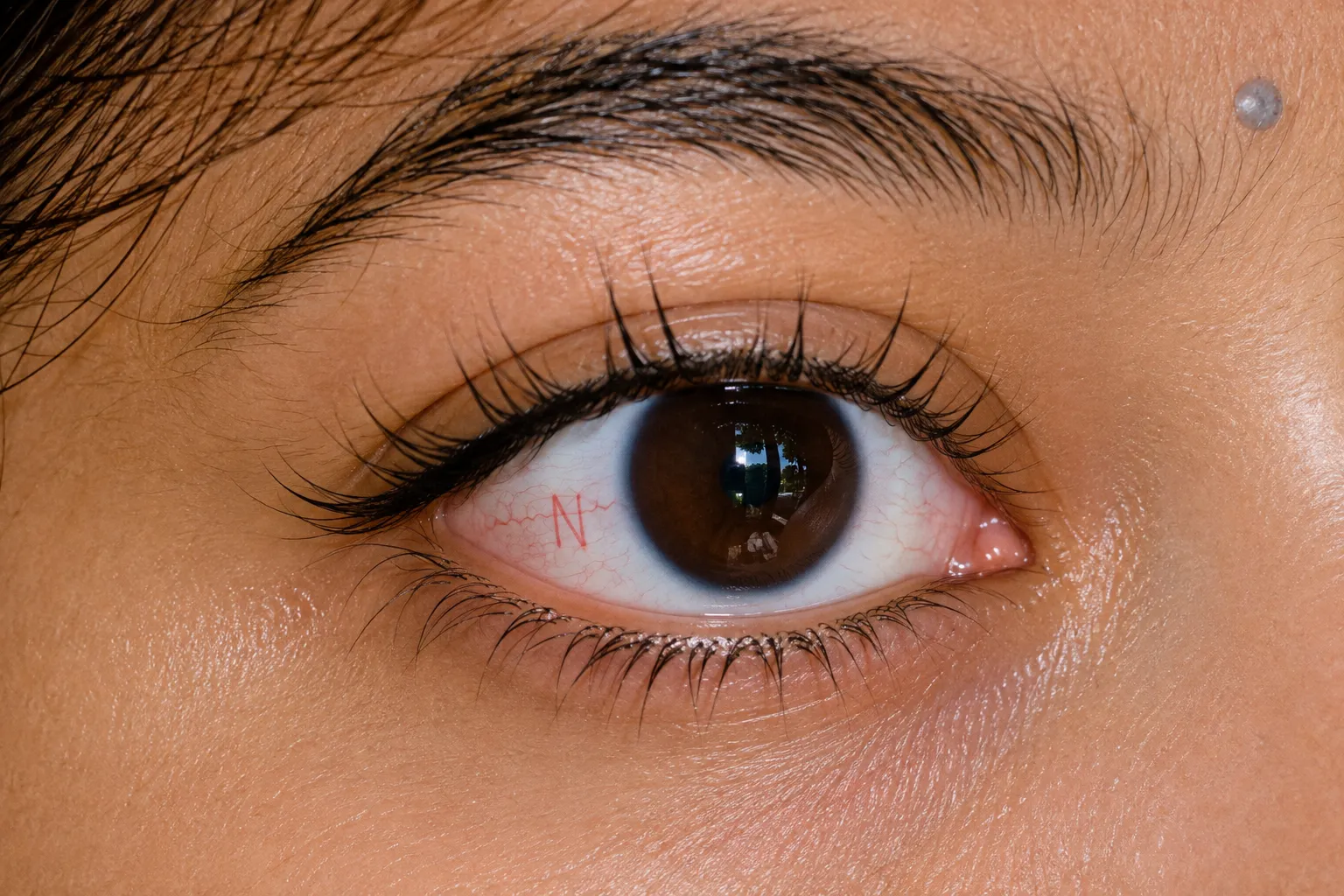
Hyper-Realistic Macro Human Eye
An extreme close-up capturing the intricate textures of a human eye, featuring detailed iris patterns, eyelashes, and realistic skin pores.
Full Prompt · 100% Free105 words
Ultra-realistic extreme macro close-up of a human eye, tightly framed around the eye area. Dark brown iris with a large glossy black pupil, highly detailed natural eyelashes, visible fine veins across the white sclera, subtle redness with alphabet 'M' and realistic moisture on the eye surface. Warm medium-brown skin surrounding the eye with natural pores and fine texture. Strong soft daylight reflection visible in the pupil, creating a realistic catchlight. Extremely sharp focus, photorealistic skin and eye texture, high dynamic range, natural colors, cinematic macro photography, shallow depth of field, 100mm macro lens, dramatic detail, 8K resolution. No makeup, no beauty retouching, authentic natural appearance.
Interactive Prompt Remixer
Customize subject, lighting, or framing slots below — the prompt updates live while preserving proven camera syntax.
Ultra-realistic extreme macro close-up of a human eye, tightly framed around the eye area. Dark brown iris with a large glossy black pupil, highly detailed natural eyelashes, visible fine veins across the white sclera, subtle redness with alphabet 'M' and realistic moisture on the eye surface. Warm medium-brown skin surrounding the eye with natural pores and fine texture. Strong soft daylight reflection visible in the pupil, creating a realistic catchlight. Extremely sharp focus, photorealistic skin and eye texture, high dynamic range, natural colors, cinematic macro photography, shallow depth of field, 100mm macro lens, dramatic detail, 8K resolution. No makeup, no beauty retouching, authentic natural appearance.
Compatible Models
How to Customize
Swap the subject, wardrobe, or color palette while keeping the lighting and camera phrasing intact. In Midjourney, add --ar 4:5 for portraits or --ar 16:9 for cinema frames.
Matching Outcome Playbooks
Keep Exploring