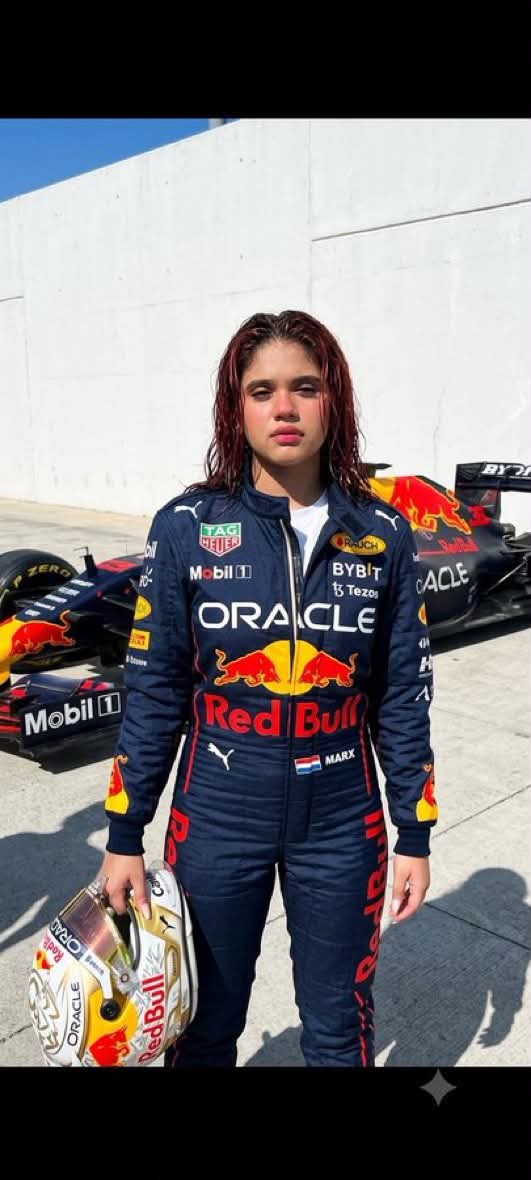
Formula 1 Driver Paparazzi Style Shot
A hyper-realistic, candid iPhone-style photograph of a racing driver in a Red Bull jumpsuit standing next to a Formula 1 car under harsh midday sun.
Full Prompt · 100% Free131 words
Super-realistic iPhone photo in harsh daylight. A woman stands in the foreground in a dark blue racing jumpsuit with large red 'Red Bull' lettering on the left sleeve and thigh, and sponsor logos such as 'Oracle' and 'TAG Heuer'. The jumpsuit is worn over a white T-shirt. A gold-white helmet with numerous graphic elements and logos is held in her hand. Behind her, a Formula 1 racing car in dark blue Red Bull Racing colors is parked against a clean white concrete wall. Minimalist surroundings, sharp shadows on the ground. Lighting: harsh midday sun, sharp contrast, deep shadows, slightly overexposed highlights, raw, unpolished realism. Camera: handheld iPhone shot, eye-level, random frame, light graininess. Mood: motorsport meets fashion editorial style, casual paparazzi shot, emphasis on facial details, skin texture, and costume textures.
Interactive Prompt Remixer
Customize subject, lighting, or framing slots below — the prompt updates live while preserving proven camera syntax.
Super-realistic iPhone photo in harsh daylight. A woman stands in the foreground in a dark blue racing jumpsuit with large red 'Red Bull' lettering on the left sleeve and thigh, and sponsor logos such as 'Oracle' and 'TAG Heuer'. The jumpsuit is worn over a white T-shirt. A gold-white helmet with numerous graphic elements and logos is held in her hand. Behind her, a Formula 1 racing car in dark blue Red Bull Racing colors is parked against a clean white concrete wall. Minimalist surroundings, sharp shadows on the ground. Lighting: harsh midday sun, sharp contrast, deep shadows, slightly overexposed highlights, raw, unpolished realism. Camera: handheld iPhone shot, eye-level, random frame, light graininess. Mood: motorsport meets fashion editorial style, casual paparazzi shot, emphasis on facial details, skin texture, and costume textures.
Compatible Models
How to Customize
Swap the subject, wardrobe, or color palette while keeping the lighting and camera phrasing intact. In Midjourney, add --ar 4:5 for portraits or --ar 16:9 for cinema frames.
Keep Exploring