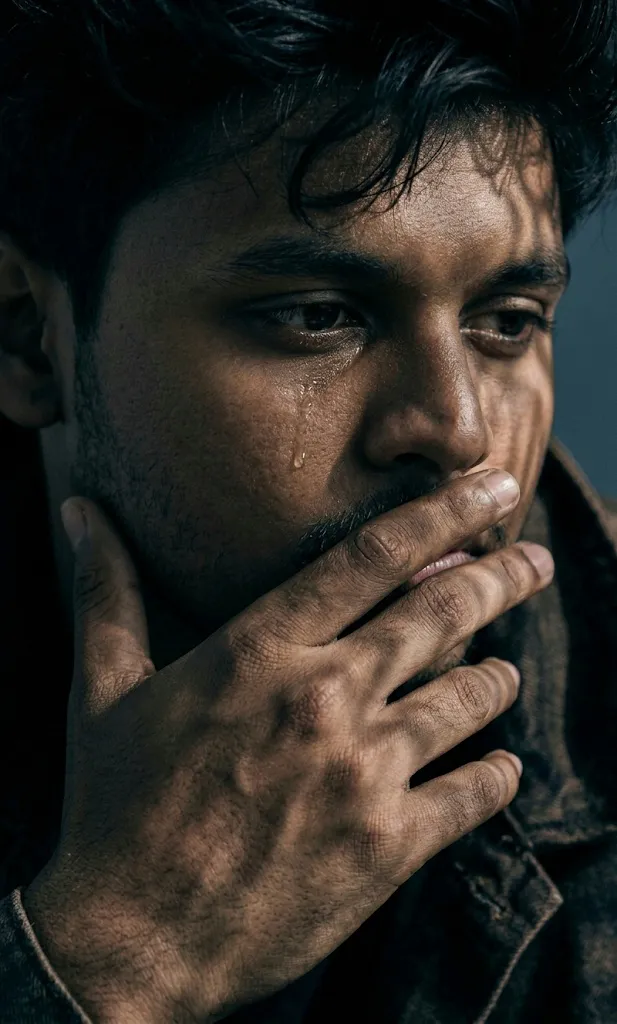
Cinematic Portrait of Intense Grief
A raw and emotionally charged close-up of a man in sorrow, featuring dramatic window-blind shadows and hyper-realistic skin textures.
Full Prompt · 100% Free138 words
A raw, emotionally powerful cinematic close-up portrait of a young South Asian man captured in a moment of intense grief. He is looking down and away from the camera, a single, clear tear tracking down his cheek. His hand is raised to his face, fingers partially covering his mouth in a gesture of sorrow or muffled crying, showcasing detailed hand anatomy, knuckles, and skin texture. The lighting is highly dramatic and high-contrast, streaming in from the side to cast crisp, distinct window-blind shadow patterns across the right side of his face and hand. The color grading is moody and desaturated with deep, dark, gritty tones, accentuating the fine textures of his skin, stubble, and his dark denim or canvas jacket. Captured with a shallow depth of field, sharp focus on the eye and tear, film grain, hyper-realistic, photorealistic.
Interactive Prompt Remixer
Customize subject, lighting, or framing slots below — the prompt updates live while preserving proven camera syntax.
A raw, emotionally powerful cinematic close-up portrait of a young South Asian man captured in a moment of intense grief. He is looking down and away from the camera, a single, clear tear tracking down his cheek. His hand is raised to his face, fingers partially covering his mouth in a gesture of sorrow or muffled crying, showcasing detailed hand anatomy, knuckles, and skin texture. The lighting is highly dramatic and high-contrast, streaming in from the side to cast crisp, distinct window-blind shadow patterns across the right side of his face and hand. The color grading is moody and desaturated with deep, dark, gritty tones, accentuating the fine textures of his skin, stubble, and his dark denim or canvas jacket. Captured with a shallow depth of field, sharp focus on the eye and tear, film grain, hyper-realistic, photorealistic.
Compatible Models
How to Customize
Swap the subject, wardrobe, or color palette while keeping the lighting and camera phrasing intact. In Midjourney, add --ar 4:5 for portraits or --ar 16:9 for cinema frames.
Keep Exploring