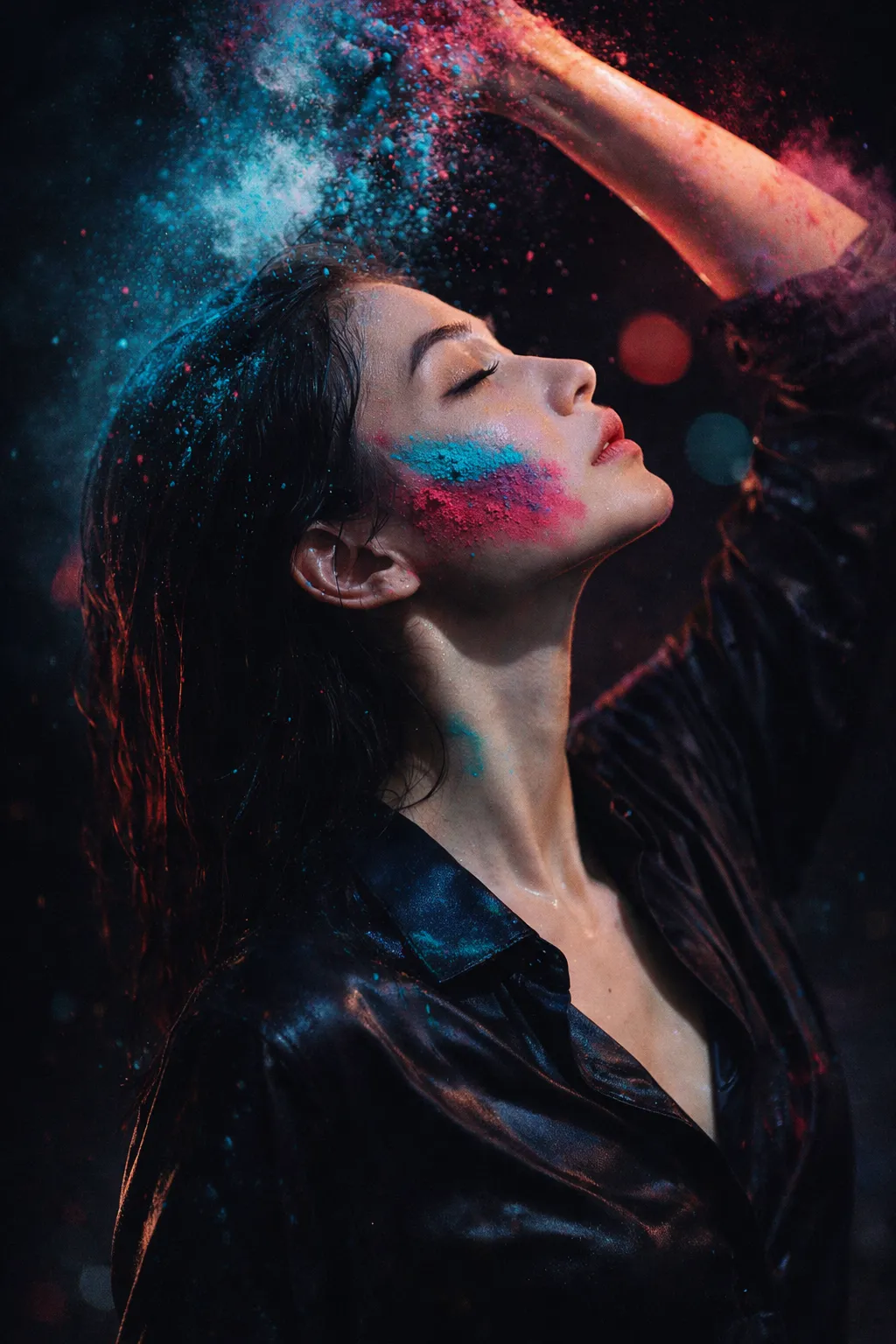
Cinematic Neon Holi Night Portrait — Neon Colors
A striking, high-contrast portrait capturing the vibrant energy of Holi with neon powders and dramatic rim lighting.
Full Prompt · 100% Free110 words
Ultra-realistic cinematic Holi night portrait, sharp side profile with head tilted slightly back, wet hair pushed backward, no sunglasses, wearing a partially unbuttoned black silk shirt clinging slightly to skin, neon cyan and hot pink Holi colors smeared across cheekbones and beard, right hand crushing powder above head creating dense falling cloud, powerful backlight creating glowing halo around powder particles, deep black night background with faint red and blue bokeh lights, dramatic rim lighting outlining jaw and nose bridge, high contrast, frozen motion particles, shallow depth of field, ultra-detailed skin texture, realistic wet fabric shine, professional DSLR photography, 85mm lens, f/1.8, high shutter speed, cinematic teal-orange grading, 8K resolution, 9:16
Interactive Prompt Remixer
Customize subject, lighting, or framing slots below — the prompt updates live while preserving proven camera syntax.
Ultra-realistic cinematic Holi night portrait, sharp side profile with head tilted slightly back, wet hair pushed backward, no sunglasses, wearing a partially unbuttoned black silk shirt clinging slightly to skin, neon cyan and hot pink Holi colors smeared across cheekbones and beard, right hand crushing powder above head creating dense falling cloud, powerful backlight creating glowing halo around powder particles, deep black night background with faint red and blue bokeh lights, dramatic rim lighting outlining jaw and nose bridge, high contrast, frozen motion particles, shallow depth of field, ultra-detailed skin texture, realistic wet fabric shine, professional DSLR photography, 85mm lens, f/1.8, high shutter speed, cinematic teal-orange grading, 8K resolution, 9:16
Compatible Models
How to Customize
Swap the subject, wardrobe, or color palette while keeping the lighting and camera phrasing intact. In Midjourney, add --ar 4:5 for portraits or --ar 16:9 for cinema frames.
Keep Exploring